Personal trainer app
Turn workout plans into guided client sessions
Adapt a routine, assign it to a client, and review completed workouts before the next check-in.
New subscriptions are currently unavailable.Create an account with Google or email.

From plan to completed session
Create. Assign. Review follow-through.
Create and adapt
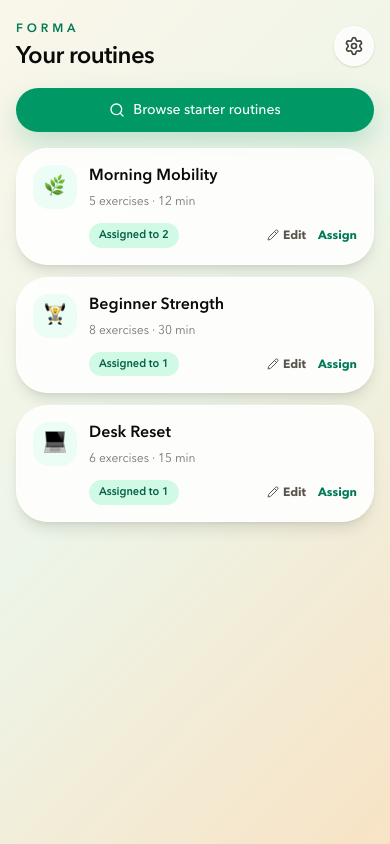
Adapt a routine for the next client.
Start with a ready-made routine or build your own from the exercise library. Adjust targets and notes before assigning it.
 Product screenshotScreenshot coming soon
Invite and assign
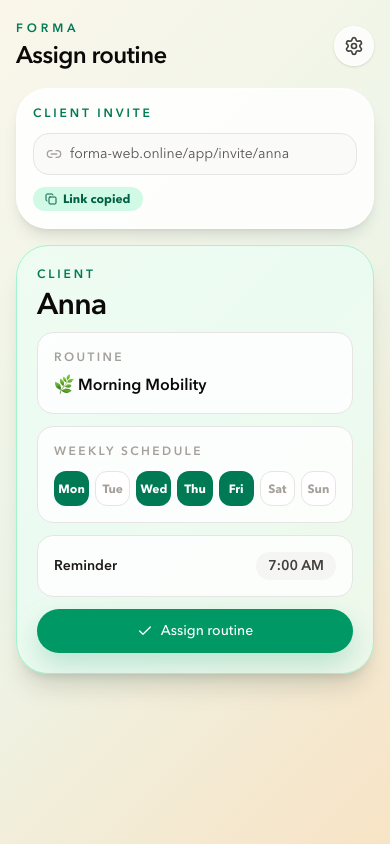
Assign the plan and set the week.
Send a personal invite link, assign a routine, and set the schedule. The client sees what to do without searching through messages.
 Product screenshotScreenshot coming soon
Check completion
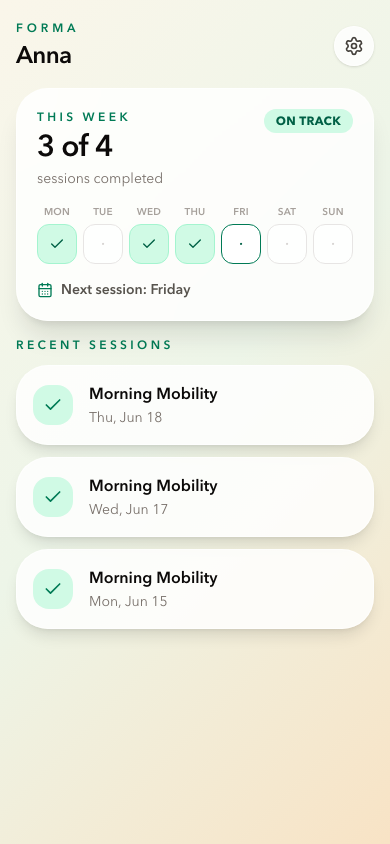
Review the work before the next check-in.
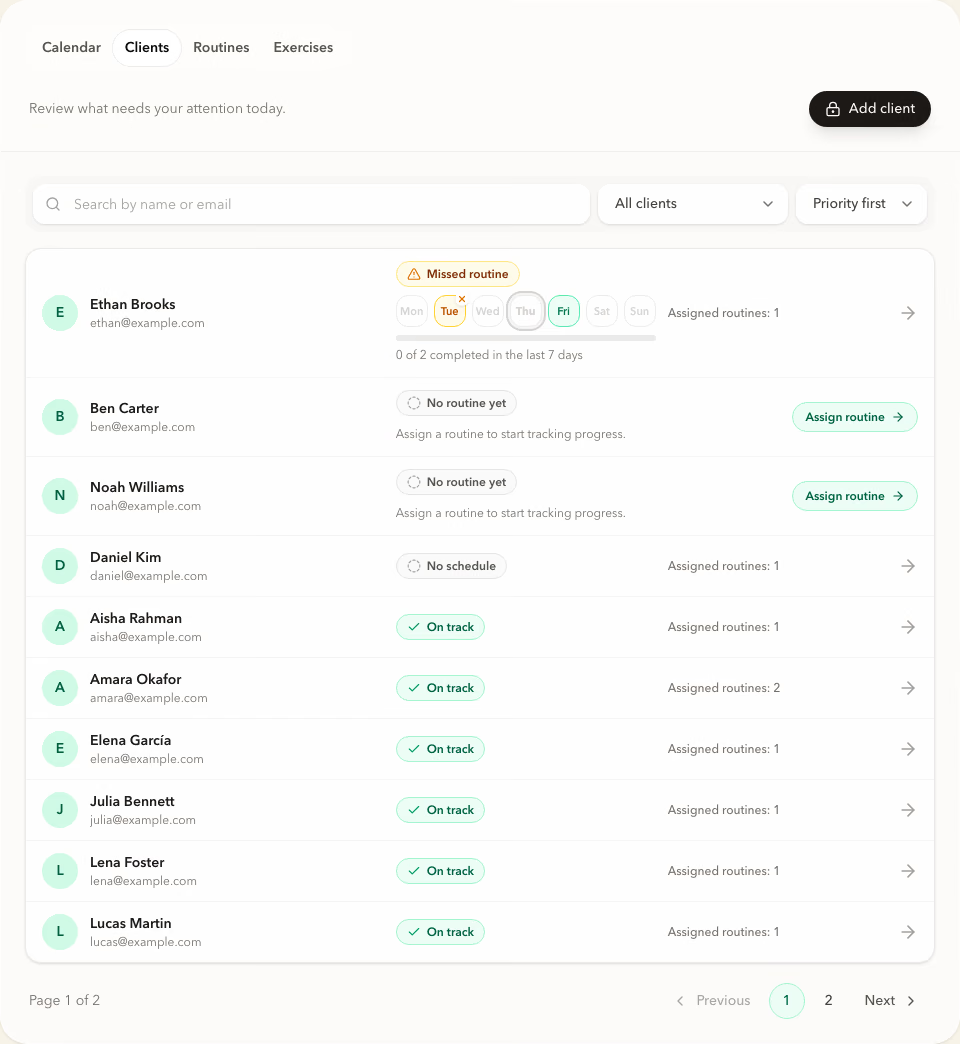
Completed sessions appear in the dashboard. You can see who is keeping the rhythm, where there are gaps, and who needs attention.
 Product screenshotScreenshot coming soon


Interactive demo
Open the Clients view and inspect real follow-through.
Open a sample dashboard and review clients, routines, schedules, and training consistency. No registration is required.
No account required. Demo changes are not saved.
Trainer App FAQ
Questions trainers ask before starting.
Can I try Forma without creating an account?
Yes. The interactive demo opens a read-only dashboard with sample clients, routines, schedules, and completed sessions. It requires no registration and does not save changes.
Can I start a subscription?
New subscriptions are currently unavailable. Explore the workspace in the demo.
Can I create routines with AI?
No. AI routine generation is currently disabled. You can adapt a ready-made routine or create your own in the editor.
Can I cancel the subscription and receive invoices?
Yes. Subscription, payment details, and invoices are managed in the billing portal. Renewal, cancellation, and refund terms are described in the Terms of Service.
How does Forma handle client data?
Forma provides a trainer data processing agreement. Details are available in the Privacy Policy and Trainer DPA.
What is Forma designed for?
Assigning exercise between sessions and reviewing follow-through. It does not include chat, nutrition plans, or medical records.
See who is following the plan before the next session.
Explore the workspace in the demo.